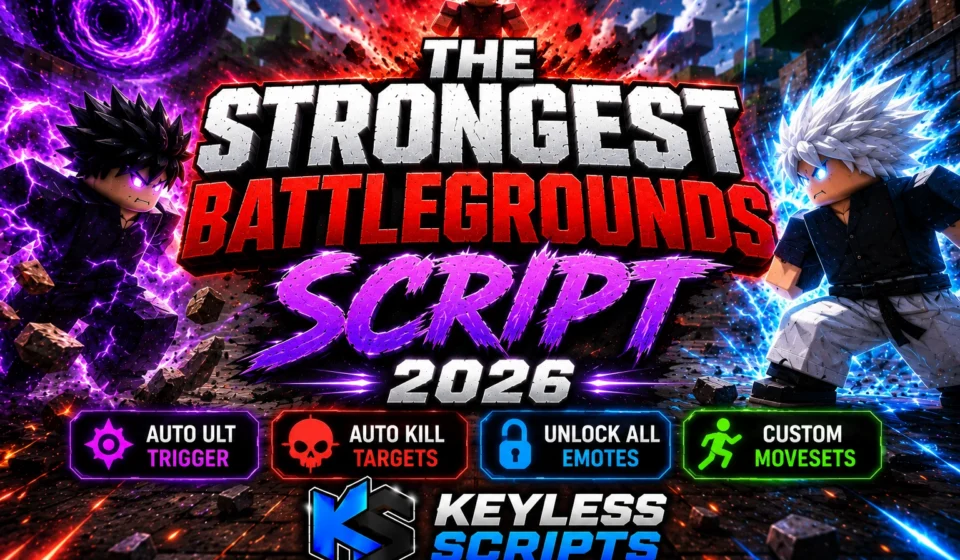
Top The Strongest Battlegrounds Script 2026, Auto Kill
Dominating the arena requires rapid reflexes, precise timing, and dedication to unlock the most spectacular combat styles. Many competitive players seek an updated The Strongest Battlegrounds Script to automate complex button rotations and handle difficult progression blocks.
By integrating these specialized configurations, fighters can eliminate endless practice grinds and instantly showcase advanced ultimate moves. Utilizing a optimized The Strongest Battlegrounds Script helps maintain a strong edge against tough arena opponents.
At Keyless Scripts, we provide working Roblox Scripts, Lua tools, and step-by-step game guides to elevate your combat. Players can find updated script hubs and free executor GUIs in one place at Keyless Scripts, fulfilling our mission to offer working utilities instantly. For regular community updates and direct release tracking, visit the Keyless Scripts Pinterest page.
Core Mechanics and Key The Strongest Battlegrounds Features Explained
Using a custom configuration modifies client-side interactions to streamline combat execution inside the game arena. Deploying a stable The Strongest Battlegrounds Script opens up interactive options that make high-tier gameplay accessible.
- Auto Ult Automation: Automatically triggers ultimate abilities as soon as the meter reaches capacity.
- Auto Kill Automation: Targets low-health opponents instantly to secure quick match points.
- Emote Unlock System: Unlocks integrated animations locally without requiring Robux purchases.
- Custom Moveset Loader: Applies elite character variations like Gojo V4 animations seamlessly.
Verified The Strongest Battlegrounds Script Combinations and Source Code
Multiple external modifiers offer custom features tailored to specific playstyles and execution environments.
Snowy Hub Edition for The Strongest Battlegrounds
This streamlined hub targets automated combat loops and lightweight efficiency to ensure smooth frame rates during busy fights. It remains a popular, operational choice for public arena modification setups in 2026.
Top BlockSpin Script 2026, Kill Aura, Free Auto Farm
Features
- Auto Ult Trigger
- Auto Kill Targeting
- Lightweight GUI Configuration
Script Code
Lua
loadstring(game:HttpGet("https://api.jnkie.com/api/v1/luascripts/public/4ad6a2d2335968486879c1b1a2dcefc6937ea63c8acb88e703a1ec95a4a146ea/download"))()
Why Players Prefer Snowy Hub
Fighters enjoy this interface because it loads quickly during fast-paced matches without lagging the system. It functions as an efficient The Strongest Battlegrounds Script that beginners can configure in seconds.
Unlock All Emotes Edition for The Strongest Battlegrounds
This specific utility bypasses standard cosmetic blocks to grant players local access to all non-entity generating animation styles. It lets you display high-tier animations directly in the server environment.
Features
- Full Animation Unlocking
- Local Character Metatable Modification
- Bypasses Cosmetic Purchases
Script Code
Lua
local Players = game:GetService("Players")local HttpService = game:GetService("HttpService")local ReplicatedStorage = game:GetService("ReplicatedStorage")local Workspace = game:GetService("Workspace")local LocalPlayer = Players.LocalPlayerlocal emotesModule = require(ReplicatedStorage:WaitForChild("Emotes"))local allEmotes = emotesModule:GetTable(true)local emoteList = {}for name in pairs(allEmotes) do table.insert(emoteList, name)end LocalPlayer:SetAttribute("Emotes", HttpService:JSONEncode(emoteList))local currentEmoteTrack = nillocal ignoredCoreAnims = { ["idle"] = true, ["walk"] = true, ["run"] = true, ["jump"] = true, ["fall"] = true, ["climb"] = true, ["swim"] = true, ["sit"] = true}local function updateCustomAnims() local liveFolder = Workspace:FindFirstChild("Live") local container = liveFolder and liveFolder:FindFirstChild(LocalPlayer.Name) local animateScript = container and container:FindFirstChild("Animate") if animateScript then for _, obj in ipairs(animateScript:GetDescendants()) do if obj:IsA("Animation") then local id = string.match(obj.AnimationId, "%d+") if id then ignoredCoreAnims[id] = true end end ignoredCoreAnims[string.lower(obj.Name)] = true end endendlocal function shouldIgnoreTrack(track) local anim = track.Animation if not anim then return false end local name = string.lower(track.Name or "") local id = string.match(anim.AnimationId or "", "%d+") if ignoredCoreAnims[name] or (id and ignoredCoreAnims[id]) then return true end for coreName in pairs(ignoredCoreAnims) do if string.find(name, coreName) or (id and string.find(id, coreName)) then return true end end return falseendlocal function playEmoteLocal(emoteName) local data = allEmotes[emoteName] if not data or not data.Animation then return end local char = LocalPlayer.Character local hum = char and char:FindFirstChildOfClass("Humanoid") if not hum then return end if currentEmoteTrack then currentEmoteTrack:Stop() currentEmoteTrack = nil end updateCustomAnims() for _, track in ipairs(hum:GetPlayingAnimationTracks()) do if not shouldIgnoreTrack(track) then track:Stop() end end local anim = Instance.new("Animation") anim.AnimationId = "rbxassetid://" .. tostring(data.Animation) local success, track = pcall(function() return hum:LoadAnimation(anim) end) if success and track then track.Priority = Enum.AnimationPriority.Action4 currentEmoteTrack = track track:Play() endendlocal function listenForInterrupts(char) local hum = char:WaitForChild("Humanoid", 5) if not hum then return end hum.AnimationPlayed:Connect(function(track) if not currentEmoteTrack or track == currentEmoteTrack then return end updateCustomAnims() if not shouldIgnoreTrack(track) then currentEmoteTrack:Stop() currentEmoteTrack = nil end end)endif LocalPlayer.Character then task.spawn(listenForInterrupts, LocalPlayer.Character)end LocalPlayer.CharacterAdded:Connect(listenForInterrupts)local mt = getrawmetatable(game)local oldNamecall = mt.__namecallsetreadonly(mt, false) mt.__namecall = newcclosure(function(self, ...) local method = getnamecallmethod() local args = {...} if (method == "FireServer" or method == "fireServer") and self.Name == "Communicate" then local payload = args[1] if type(payload) == "table" and payload.Goal == "Emote" then local emoteName = payload.Emote task.spawn(function() playEmoteLocal(emoteName) end) return end end return oldNamecall(self, ...);end)setreadonly(mt, true) _G.ZPlay = playEmoteLocal
Why Players Prefer Unlock All Emotes
This option allows users to enjoy rare animations without modifying actual server stats. It remains a popular, stable choice when searching for a cosmetic-focused The Strongest Battlegrounds Script setup.
Top BloxStrike Script 2026, Keyless Aimbot, Wall ESP
Gojo Moveset V4 Edition for The Strongest Battlegrounds
This modification file introduces custom character layouts inspired by popular anime movesets directly into the battle simulator framework. It alters your combat presentations with high-tier graphical modifications.
Features
- Insane Custom Moveset Loading
- V4 Visual Adjustments
- Fluid Animation Triggers
Script Code
Lua
loadstring(game:HttpGet("https://api.jnkie.com/api/v1/luascripts/public/79d428ec9ca397d6a9951c95dfd7f27da8b997b325f76db8c3133ea5816b9ce8/download"))()
Why Players Prefer Gojo Moveset V4
It transforms the core battle aesthetic, offering immersive visuals that standard gameplay options lack. It serves as an impressive visual addition to any primary The Strongest Battlegrounds Script list.
Analytical Performance Comparison of The Strongest Battlegrounds Hubs
| Script | Main Features | Performance | Ease of Use |
| Snowy Hub | Auto Ult, Auto Kill | High Optimization | Simple UI |
| Unlock All Emotes | Emote Unlocking | Medium Resource Load | Automatic Setup |
| Gojo Moveset V4 | Custom Visual Attacks | High Graphical Load | One-Click Execution |
Complete Execution Guide for The Strongest Battlegrounds
Setting up your automation tools takes less than two minutes if you follow these basic processing instructions. Make sure to smoothly state that this guide applies to any verified The Strongest Battlegrounds Script variant in 2026.
Top Build A Boat For Treasure Script 2026, Auto Farm, No Key
Steps:
- Launch your native Roblox client and open the main The Strongest Battlegrounds game lobby.
- Launch your chosen, updated customization software or supported script runner.
- Navigate to Keyless Scripts and copy the raw working verified script configuration text from your chosen script section above.
- Paste the exact clipboard line directly into the main code execution panel of your supported script runner.
- Apply the selected configuration and wait for the dashboard to load to introduce the source files into the client.
- Interact with the newly visible dashboard menu to toggle your favorite configurations.
Supported Mobile and PC Execution Environments for The Strongest Battlegrounds
These modification systems work comfortably on leading execution tools like Delta, Wave, Codex, Synapse Z, Potassium, Seliware, OpiumWare, and Volt setups. Using a compatible script runner ensures that the background engine handles character asset updates smoothly.
Compatibility can shift following official developer updates to the main Roblox game client. Fortunately, Keyless Scripts regularly updates the repository to maintain working configurations across all mobile and PC methods in 2026.
Best Islands Script featuring Flare Hub Autofarm
Evaluated Pros and Cons of The Strongest Battlegrounds Automation
Strategic Benefits of The Strongest Battlegrounds Tools
- Eliminates repetitive manual grinding to rank up.
- Triggers automated ultimate attacks instantly during intense matches.
- Unlocks rare movement configurations and cosmetic setups for free.
- Running a premium The Strongest Battlegrounds Script guarantees active optimizations.
- Features clean code that limits sudden client crashes.
Operational Limits of The Strongest Battlegrounds Tools
- Requires a third-party software runner to execute files properly.
- Periodic game patches can temporarily disable specific automation loops.
- Some feature suites rely on creator-managed key authorization hubs.
Safe Usage and Professional Disclaimer for The Strongest Battlegrounds
Using external modifiers to alter standard gameplay parameters requires a responsible approach to avoid account penalties. Always evaluate community configurations using secondary profiles to ensure full safety before updating your main stats.
Our dedicated team manually reviews active files to confirm they remain fully operational for general use. However, background game revisions by the official developers can change variable pathways at any given moment.
This article is prepared strictly for educational, research, and informational development purposes. All code samples listed are intended to demonstrate scripting methodology within simulation mechanics.
Street Life Remastered Script Combat Aimbot Performance
Additional Roblox Gameplay Optimizers
Fighters who want to expand their gaming options can explore our dedicated library for related titles. Check out our detailed guides on Anime-themed RPG tools, dynamic fighting simulators, and general progression setups to streamline your library.
Strategic Verdict for Active The Strongest Battlegrounds Players
Selecting the right setup depends on whether you prefer automated combat assistance or cosmetic layout modifications. Utilizing an optimized The Strongest Battlegrounds Script is currently an excellent path to explore commonly used community customization setups in 2026. Trust Keyless Scripts to keep your modification files operational, updated, and ready for action.
Frequently Asked Questions
Are these script configurations working properly in 2026?
Yes, Keyless Scripts provides optimized, regularly maintained configurations that fetch the latest working versions automatically from the developers’ repositories. This ensures that features like Snowy Hub remain ready for arena execution.
Does the Unlock All Emotes script display visual elements to other players?
The emote unlock method runs locally on your device by modifying internal data tables. It offers a secure way to preview custom movements without interfering with global server interactions.
Which supported script runner is best for mobile execution?
Mobile custom clients such as Delta, Codex, and Wave are heavily optimized for mobile configurations. They process a mobile-optimized The Strongest Battlegrounds Script efficiently without crashing the device app.
What should I do if a script interface fails to load during a match?
If the UI menu does not appear, clear your script runner client cache and re-copy the loading sequence. A fresh deployment usually solves connection issues after a game server updates.
Can I run the Gojo Moveset V4 script alongside combat modifications?
Combining multiple complex asset structures simultaneously can sometimes overload a mobile client. We recommend executing a single target The Strongest Battlegrounds Script at a time to maintain optimal combat frame rates.