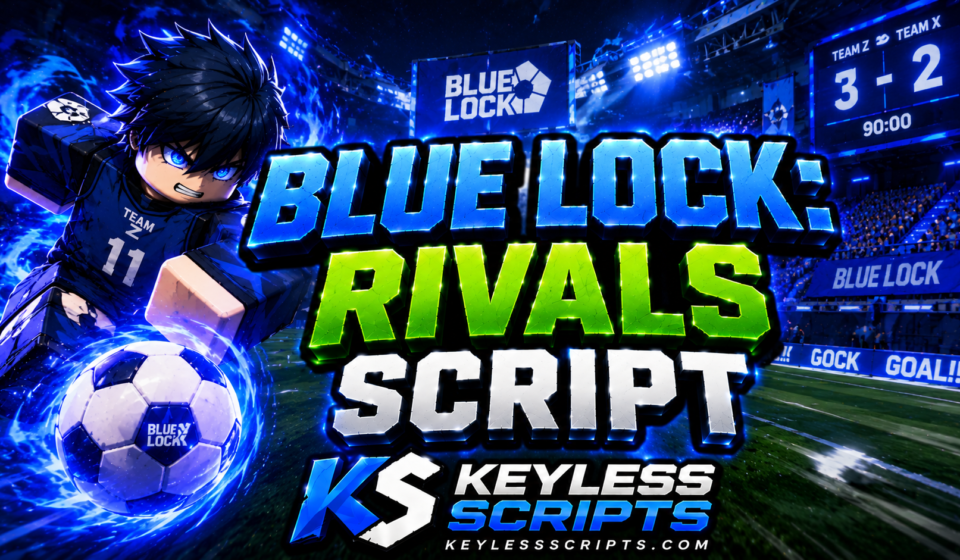
Top Blue Lock: Rivals Script Hubs for Auto Dribble
Anime sports games like Blue Lock: Rivals push fast paced soccer mechanics where stamina management, precise shot timing, and quick awakening activations determine every match outcome. When facing aggressive opponents who master every skill curve, keeping up with skill cooldowns and movement speed can feel demanding. A tailored Blue Lock: Rivals Script helps streamline match progression by automating dribbles, optimizing ball tracking, and balancing character movement.
Selecting the best configuration depends on whether you prefer keyless, unencrypted scripts or broader multi feature hubs with dedicated key systems. Below is a detailed review of the leading community tools currently available for Blue Lock: Rivals.
1. HyperionV1 Keyless Automation Suite
The HyperionV1 suite stands out as one of the most comprehensive choices for players who want immediate, keyless access. Sitting at roughly 417 bytes, this raw Pastefy release delivers an extensive list of toggles covering movement, ball manipulation, ability triggers, and full match controls.
Its auto ball framework handles auto shooting, passing, sliding, dribbling, and shot power adjustments automatically. It also includes ball magnet features, camera goal alignment, and ability slot loops without requiring an external key verification.
Lua
loadstring(game:HttpGet("https://pastefy.app/hwzpWfsk/raw"))()
Recent testing confirms smooth execution across clients like Volt, Potassium, Delta, Codex, OpiumWare, Real, Synapse Z, and Seliware. If you want a zero barrier setup with total control over movement and team placement, HyperionV1 is an exceptional starting point.
2. Davidd Multi Feature Auto Goal Hub
This utility authored by davidd provides targeted match automation focused on instant scoring, ball teleportation, and god mode features. Hosted on Lmao Hub, it packages infinite stamina, speed adjustments, and no cooldown toggles into a single control panel.
Lua
loadstring(game:HttpGet("https://lmao-hub.lovable.app/r/dfofcdo67q.lua"))()
While accessing this loader requires completing a short key system, its instant goal function teleports the ball straight into the opponent net to secure effortless match points during grind sessions.
Top Chameleon! Script for Instant Auto Seek
3. Davidd Instant Score Alternative Loader
Davidd also offers a secondary variant tailored for instant win execution and anti kick measures. At 430 bytes, this loader prioritizes ball teleportation to your character feet alongside automated dribble systems.
Lua
loadstring(game:HttpGet("https://lmao-hub.lovable.app/r/ikw22e7cc8.lua"))()
This build works well for players who want dedicated anti cheat bypass protection paired with automated dribbling during competitive lobby play.
4. ChillHub Auto Farm and ESP
ChillHub presents a compact 62 byte loader designed for core match farming and visual player tracking. It strips away heavy UI overlays in favor of straightforward auto farming loops and field teleports.
Lua
loadstring(game:HttpGet("https://pastefy.app/yKWYhpup/raw"))()
A key system is required before launching the menu, but the minimal script size ensures low client memory usage during long sessions.
5. ScriptWare Universal Hub
ScriptWare provides a clean 118 byte universal loader that connects directly to its public master repository. It focuses primarily on automated resource collection and basic player ESP overlays.
Lua
loadstring(game:HttpGet("https://raw.githubusercontent.com/scriptware-cc/Universal/refs/heads/master/loader.lua"))()
It serves as a stable alternative for players who want minimal, lightweight visual support without complex ball manipulation toggles.
Core Mechanics Explained
Match optimization utilities interact directly with local character physics and workspace ball instances. Auto goal tools calculate the distance vector between the soccer ball and the goal frame, triggering shot events as soon as your character enters range.
Movement toggles adjust WalkSpeed and JumpPower properties, while infinite stamina routines lock your energy pool to prevent exhaustion during long sprints. Meanwhile, ESP modules draw bounding boxes and tracer lines over players, ball objects, and goal posts for full field awareness.
Top Brainblast a Lucky Block Script for Instant Rewards
Utility Comparison
| Hub / Utility Name | Main Focus | Resource Impact | UI Accessibility / Last Known Status |
| HyperionV1 Suite | Keyless Ball & Movement Controls | Low (417 Bytes) | Keyless / Actively Updated |
| Davidd Auto Goal | Instant Score & God Mode | Low (430 Bytes) | Key System Required |
| Davidd Instant Score | Ball Teleport & Dribble | Low (430 Bytes) | Key System Required |
| ChillHub | Core Farm & Teleport | Minimal (62 Bytes) | Key System Required |
| ScriptWare | Auto Farm & Visual ESP | Minimal (118 Bytes) | Key System Required |
Execution Steps
Setting up a Blue Lock: Rivals Script takes less than a minute once loaded into a active pitch.
- Launch Blue Lock: Rivals on Roblox and enter a training pitch or match lobby.
- Open your preferred script runner on your PC or mobile device.
- Copy the exact code block for your chosen utility from the list above.
- Paste the loadstring directly into your executor workspace.
- Click Execute to open the control interface or run the background script.
For additional configurations across other popular sports and combat titles, explore community updates on the Keyless Scripts Official Pinterest page.
Supported Clients and Performance
Execution compatibility varies based on client framework updates. Raw Pastefy loadstrings like HyperionV1 execute seamlessly across mobile environments including Delta, Codex, and Volt. Desktop environments like Wave, Potassium, and Seliware handle complex Lmao Hub and ScriptWare loaders without memory issues.
When Roblox rolls out client patches, character movement references or ball event structures can occasionally shift. Maintainers quickly update remote loader files so users can run the same loadstring line without manually downloading new files.
If you enjoy fast-paced competitive games with auto-deflection mechanics, check out our guide on Blade Ball Script options, or read our review on Killstreak Script tools for combat setups.
Selecting the Right Tool
Choosing the ideal utility depends on your playstyle and device setup:
- For Keyless Mobile Play: Choose HyperionV1 for zero key delays, extensive movement toggles, and direct mobile support.
- For Fast Match Grinding: Select Davidd Auto Goal if you want instant score features and ball teleportation.
- For Lightweight Visuals: Pick ChillHub or ScriptWare if you only need player position tracking and simple auto farming.
Explore further game reviews on Keyless Scripts to discover verified, high performance utilities for all your favorite Roblox titles.
Working Car Flipper Script to Dominate Fast
Frequently Asked Questions
Which Blue Lock: Rivals script is best for mobile users?
HyperionV1 runs exceptionally well on mobile clients like Delta and Codex because it requires no key verification and includes custom touch drag menus.
Do I need a key to run the HyperionV1 script?
No, the HyperionV1 configuration is completely keyless and executes directly from its raw Pastefy source line.
Why does my ball teleport feature fail to move the ball?
Ball teleportation requires active network ownership of the ball instance, which typically triggers when your character is near the ball.
Are these loadstring links updated automatically after game patches?
Yes, remote loadstrings fetch the latest code directly from developer repositories whenever you execute them.
What should I do if my script menu fails to open?
Re-execute the loadstring line or check if your execution client requires an update following a Roblox client patch.